





Salesforce Consulting Partner · Malvern, PA

Salesforce data migration services, reconciled row by row

We move US companies off QuickBase, Kissflow or another CRM into Salesforce, reconciled before go-live; existing orgs start with a free one-week health check.

Data migration · Legacy CRM → Salesforce

Example Manufacturing Co. · Account object · 5 fields mapped, loaded, reconciled

Sample data
  1. cust_noAccount.AccountNumberexternal ID · dedupe key
  2. cust_nameAccount.Nametrimmed · legal name kept
  3. region_cdAccount.Region__cpicklist · 6 codes mapped
  4. credit_limAccount.CreditLimit__ccurrency · 2 decimals
  5. rep_idAccount.OwnerIdlookup to User · 14 reps matched

Reconciliation · after load

Accounts

18,420 / 18,420 matched

Record counts and totals agree on both sides before go-live. Next objects: Contacts, Opportunities.

Illustration with sample data. Each legacy field is mapped with its rule, then every loaded record is counted against the source until the totals match.

Salesforce's AppExchange record of us: 16 certified people · 53 certifications · read 23 October 2026

  • Salesforce Certified Application Architect
  • Salesforce Certified System Architect
  • Salesforce Certified Platform Integration Architect
  • Salesforce Certified Platform Data Architect
  • Salesforce Certified Platform Identity and Access Management Architect
  • Salesforce Certified Platform Sharing and Visibility Architect
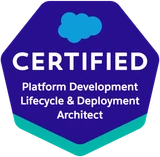
  • Salesforce Certified Platform Development Lifecycle and Deployment Architect
  • Salesforce Certified Agentforce Sales Consultant
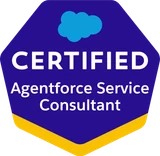
  • Salesforce Certified Agentforce Service Consultant
  • Salesforce Certified Omnistudio Consultant
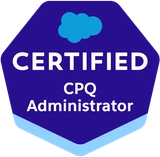
  • Salesforce Certified CPQ Administrator
  • Salesforce Certified Marketing Cloud Engagement Specialist
  • Salesforce Certified Platform Developer
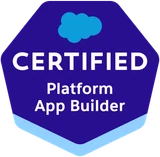
  • Salesforce Certified Platform App Builder
  • Salesforce Certified Platform Administrator II
  • Salesforce Certified Platform Administrator

What is Salesforce data migration?

Salesforce data migration moves records, history and files from another system into Salesforce and proves the counts match before go-live.

Why it matters: The copying is the small part; records that load but no longer mean what they meant make every report wrong from day one.

Go deeper: what a migration involves and what it costs

Records from another system, or another Salesforce org, have to land in the right objects with their relationships, owners and history intact. The work is the mapping before the load and the reconciliation after it: counts that match, object by object, before go-live.

What we do: We inventory the source, map it to Salesforce with external IDs, trial-load a sandbox, then cut over and reconcile again.

What it costs: Scoped in writing once we know the source and the volume; published market ranges are in our cost guide.

Data migration is one stage of a Salesforce implementation.

What you get

  • A source inventory: every table, field and file, with row counts
  • A field map to objects, owners and external IDs, agreed in writing
  • Two reconciliations: after the sandbox trial and after the production load

Salesforce data migration by source system

We have migrated QuickBase and Kissflow systems into Salesforce, and we run the same method for other CRMs, spreadsheets and orgs.

Delivered

QuickBase and Kissflow to Salesforce

No-code apps grow one form at a time, so each move starts by agreeing which tables are live and which are history.

Go deeper: moving a no-code app into Salesforce

No-code apps hold years of records in whatever shape the person who built each form chose. Every table is sorted first: live, history, or three copies of the same list. You get Salesforce objects that mean what your team thinks they mean.

Field map first

HubSpot, Zoho, Dynamics 365 or Zendesk to Salesforce

CRMs share names, not structures, so every field, picklist value and owner is mapped from your system's own export first.

Go deeper: how we would run a move off another CRM

A HubSpot company, a Zoho account and a Dynamics account all become Salesforce Accounts, but their owners, stages and custom fields do not line up one to one. We map every field and picklist value from your system's own export, agree the map with you in writing, and decide with you which emails, notes and activities come across. Zendesk runs the same way, with tickets mapped to Salesforce Cases and the ticket history you choose to keep.

Dedupe first

Spreadsheets or SQL Server to Salesforce

A contact list with a company column is two objects: companies become Accounts, people become Contacts linked to them.

Go deeper: how we would run a move off spreadsheets or a database

Name variants such as "Inc." and "Inc" are merged into one record before the load, so they never reach a report. A SQL Server database moves the same way: each table is mapped to an object, and the keys that join tables are carried into external ID fields so the relationships rebuild in Salesforce.

External IDs

Merging two Salesforce orgs

Every record carries its old ID into an external ID field, so parents and children reconnect in the target org.

Go deeper: how we would merge two orgs

After a merger, or when a business unit was given its own org years ago, the objects share names but rarely share fields, picklist values or record IDs. Because every load matches on that external ID, it can run again without creating duplicates.

Migration or integration

SAP: a one-off move or a sync

If SAP keeps running after go-live, the job is an integration; if SAP is being retired, it runs like any source here.

Go deeper: SAP data and Salesforce

We have delivered an SAP-to-Salesforce sync, and it starts by agreeing which system owns each record.

Salesforce data migration process and checklist

We inventory, map, load into a sandbox, then cut over and reconcile count by count.

Staged diagram of the four steps of a Salesforce data migration, stacked for phones01Inventory the sourcetables · fields · files · owners02Map to the data modelobjects · picklists · owners · IDs03Load into a sandbox firsttrial load · counts reconciled04Cut over and reconcileplanned window · source read-onlyStaged diagram of the four steps of a Salesforce data migrationA rail runs through four stations: inventory the source, map to the Salesforce data model, load into a sandbox first, then cut over and reconcile.01Inventory the sourcetables · fields · files · owners02Map to the Salesforce data modelobjects · picklists · owners · IDs03Load into a sandbox firsttrial load · counts reconciled04Cut over and reconcileplanned window · source read-only
The four steps in the order they run. Nothing touches production until the sandbox counts match, and the source stays readable throughout.
  1. Inventory the source

    Every table, field and attachment, with a row count and a note on who still uses it.

    Go deeper: what stage 01 covers
    • Fields nobody has filled in for years flagged so you can leave them behind
    • A full export of the source, kept as a backup before any load
    • Every table, field and file counted, with a named owner
  2. Map to the Salesforce data model

    Source fields to standard and custom objects, picklist values to picklist values, users to owners.

    Go deeper: what stage 02 covers
    • Parent records and their external IDs planned before anything loads
    • Duplicate and merge rules agreed before the load
    • The field map agreed with you in writing
  3. Load into a sandbox first

    A full trial run against a sandbox, with record counts reconciled object by object.

    Go deeper: what stage 03 covers
    • A sample checked by the people who know the data
    • Automation that would fire on insert paused for the load
    • Consent and do-not-call fields tested first
  4. Cut over and reconcile

    The production load runs in a planned window, and the counts are reconciled again.

    Go deeper: what stage 04 covers
    • The source set read-only rather than deleted
    • Anything questioned later checked against the original
    • Rules switched back on and tested before users return

Salesforce data migration checklist

Eleven checks, in the order they run, from the first export to the source going read-only.

  1. Full export of the source, kept as a backup before any load
  2. Every table, field and file counted, with a named owner
  3. Fields nobody has filled in for years flagged to leave behind
  4. Duplicate and merge rules agreed before the load
  5. Every user mapped to a Salesforce record owner
  6. An external ID field on every object that has children
  7. Validation rules, duplicate rules, flows and triggers reviewed and paused
  8. Consent and do-not-call fields tested first
  9. Sandbox trial load reconciled object by object and sampled by your team
  10. Production load in a planned window, counts reconciled again
  11. Source set read-only, never deleted

Salesforce data migration tools compared

Data Import Wizard suits small loads, Data Loader and the Bulk API handle large ones; the volume decides.

Salesforce data loading tools, what each fits, and Salesforce's documented limits
Tool · what it fitsSalesforce's documented limit
Data Import WizardAccounts, contacts, leads and custom objectsUnder 50,000 records per import
Data LoaderAny object; repeat, scheduled and backup jobsUp to 150 million records at a time
Bulk API 2.0Large loads run as background jobs; Data Loader can switch to itAsynchronous and parallel
Integration and ETL platformsThe old system keeps running beside SalesforceSet by each product

Salesforce's documentation, read 23 October 2026 ·

Above 150 million records

Salesforce's own guidance is to work with a Salesforce partner, and we are a listed Consulting Partner on AppExchange.

Go deeper: how a large load runs

Salesforce's architecture guidance names the Bulk API as the way to move large record sets in with the least strain on org limits. Its jobs run in the background as platform capacity allows, and report their results when they finish.

What we do: We read every job's success and error results and reconcile the counts before the next object loads.

The Data Import Wizard matches duplicates on account name and site, or on contact or lead email. When the old system keeps running beside Salesforce, the job is an integration rather than a one-off load.

Keeping record history in a Salesforce migration

History survives a migration when it is planned at the mapping stage, decided with you object by object.

How history comes across

Every record keeps its old ID, so children find their parents and a corrected file can load again without duplicates.

  • Original created dates and creators kept on insert, where you need them
  • Attachments from the old system load as Salesforce Files
  • Notes and activities load against the records they belong to
Go deeper: the six ways history is kept
  • Every record keeps its old ID. The old system's ID goes into an external ID field on the Salesforce record, so anything can be traced back to where it came from.
  • Relationships are rebuilt, parent first. Accounts load before the contacts, opportunities and cases that hang off them, and each child finds its parent through that ID.
  • Reruns are safe. Loads run as upserts matched on the external ID, so a corrected file can be loaded again: existing records update and nothing duplicates.
  • Original dates and creators, where you need them. Salesforce's Set Audit Fields upon Record Creation permission lets a load keep the original created date and created-by user on insert. Record owners come across through the user map.
  • Attachments become Files. Documents attached in the old system load as Salesforce Files on the records they belong to.
  • Rules are paused, then switched back on. Validation rules, duplicate rules, flows and triggers are reviewed and paused for the load, then re-enabled and tested before users return.

Set Audit Fields: Salesforce's documentation, read 23 October 2026 ·

What breaks, and the check that catches it

Seven things break migrations, and each has a check in the method above that catches it before go-live.

  • Relationships that do not connect: parents load first, children find them by ID
  • Duplicates that load perfectly: merge rules agreed before the load
  • Consent and do-not-call flags lost: suppression fields tested first
Go deeper: all seven failure points and their checks
Common Salesforce data migration mistakes and the check that catches each one
What breaksThe check that catches it
Relationships that do not connectParents load first; children find them by external ID
Duplicates that load perfectlyMerge rules agreed with you before the load, not after
Six spellings of one picklist valueEvery source value mapped to one Salesforce value
Automation firing on every recordFlows, triggers and rules reviewed and paused for the load
Consent and do-not-call flags lostSuppression fields tested first, not last
Records with no ownerEvery user mapped to a Salesforce owner
The old system switched off too earlySource set read-only and kept for checks

Salesforce data migration best practices

The practices that prevent data loss: the source stays read-only, every old ID travels with its record, and counts are reconciled twice.

Why it matters: A day spent agreeing merge rules saves a month of cleanup after the load.

  • A full export of the source first, kept as a backup
  • Automation paused for the load, consent fields tested first
  • Every user mapped to a Salesforce record owner
Go deeper: the full list of practices
  • Set the source read-only instead of deleting it, so anything questioned later is checked against the original.
  • Carry every old record ID in an external ID field; parents load first and children find them by it.
  • Load as upserts matched on the external ID, so a corrected file can run again without duplicates.
  • Agree duplicate and merge rules with you before the load, not after.
  • Map every source picklist value to one Salesforce value.
  • Review and pause validation rules, duplicate rules, flows and triggers for the load, then re-enable and test them.
  • Reconcile record counts object by object in the sandbox, and again after the production load.

After the migration: support and clean-up

After cutover, every paused rule is switched back on and tested, and the old system stays readable for checks.

What we do: Weekly administration and development keeps the org running after go-live, with hours reported every week.

  • Validation rules, flows and triggers re-enabled and tested before users return
  • Questions about a record checked against the read-only source
  • Reports and dashboards changed as the questions change
Go deeper: support after go-live

Training for admins and for everyday users, reports and dashboards changed as the questions change, and testing before every Salesforce release. Managed services carry it on: weekly administration and development, with hours reported every week.

Salesforce data migration work we have delivered

We have migrated QuickBase and Kissflow systems into Salesforce, and delivered an SAP sync, Marketing Cloud support and ongoing development for a lending company.

Delivered across our Salesforce practice

Client names stay private.

Salesforce's AppExchange record of OneAlgorithm

16

Salesforce-certified people

AppExchange listing a0N3A00000EV7SwUAL · read 23 Oct 2026

53

Salesforce certifications

Salesforce's figure, not ours ·

Salesforce's AppExchange record of OneAlgorithm

What the listing's stat box said when a person at OneAlgorithm read it. We quote the figures; we do not reproduce Salesforce's page.

Partner typeConsulting Partner
Partner tierSelect
Salesforce-certified people16
Certifications held53
Listinga0N3A00000EV7SwUAL
Read on23 October 2026
Sourceappexchange.salesforce.com

Concerns before a Salesforce data migration

Three questions buyers raise before a migration, each with the direct answer.

What if the load goes wrong halfway?

The answer: What if the load goes wrong halfway?

Nothing touches production until a full trial load has reconciled in a sandbox. The source stays read-only, not deleted, so anything questioned later is checked against the original.

Our data is a mess. Should we clean it up first?

The answer: Our data is a mess. Should we clean it up first?

Cleanup is part of the migration. Duplicate accounts, contacts with no owner and picklists with six spellings of one value are agreed and merged before the load.

You are not in our city.

The answer: You are not in our city.

Most of the work is remote, inside your org, from Malvern, PA; in-person sessions when the project calls for them, easiest across the Philadelphia region. Salesforce consultants for Philadelphia companies

Scope your Salesforce data migration

Name the source system and roughly how much is in it; data already in Salesforce starts with the free one-week health check.

What the week covers

  • Licenses: seats paid for and never used
  • Data: duplicates, orphans, fields nobody fills
  • Automation: the manual steps Flow should own
  • Permissions: who can see and change what
  • Integrations: syncs that fail without telling anyone

Salesforce optimization is part of the week. What the free health check covers

What happens next

  1. 01Call or send the form.
  2. 02A person at OneAlgorithm reads it and replies.
  3. 03We tell you what we would check first.

Book a free health check

Topic · Salesforce data migration

Source system and roughly how much is in it Tell us on the contact page; the topic is already filled in.

Book a free health check

Prefer to talk it through?

(610) 890-9711

OneAlgorithm · 625 Swedesford Rd, Unit B, Malvern, PA 19355 · Mon–Fri 9–5

Salesforce data migration questions

Not here? Call the office: (610) 890-9711

What do Salesforce data migration services include?

An inventory of the source, a field map to Salesforce objects and owners agreed in writing, data cleansing and duplicate merging, a full trial load in a sandbox, the production cutover, and a reconciliation of record counts after each load. The source system is set read-only at the end, not deleted, so no data is lost.

How do you handle data migration into Salesforce?

In four steps: inventory the source, map it to the Salesforce data model with external IDs, run a full trial load in a sandbox, then cut over to production and reconcile again. Nothing touches production until the sandbox counts match, which is how a migration avoids data loss.

Can I export data from Salesforce?

Yes. Salesforce's built-in Data Export Service produces a weekly or monthly set of CSV files, and Data Loader exports any object you have access to on demand. Your data is yours to take out, and our migration plans start with a full export before any load, as a backup.

Can you merge two Salesforce orgs or move data between them?

Yes. An org merge is planned like any other migration. The objects may share names but rarely share fields, picklist values or record IDs, so every record carries its old ID into an external ID field and the relationships are rebuilt from it in the target org.

How do we migrate from HubSpot to Salesforce?

Export every HubSpot object you use, map companies to Accounts, contacts to Contacts and deals to Opportunities, map each pipeline stage and owner, and decide which emails, notes and activities come across. Then run a trial load in a sandbox and reconcile the counts before the production load.

How long does a migration to Salesforce take?

Four things set it: how many source systems, how much data, how much cleanup the data needs, and how many sandbox trial runs it takes for the counts to match. The schedule is set once the source has been inventoried. Name the system and roughly how much is in it, and we will tell you what we would check first.

How much does Salesforce data migration cost?

The same four drivers set the cost: sources, volume, cleanup and trial runs. The work is scoped in writing before it starts. Published market ranges for migration inside a wider Salesforce project are in our cost guide.

Will the migration disrupt our daily work?

Your team keeps working in the old system while the trial loads run in a sandbox. The production load runs in a planned window, and the old system stays readable afterwards, set read-only rather than deleted.

How do you keep our data safe during the migration?

With four habits: a full export of the source before any load, as a backup; every trial load in a sandbox, never in production; consent and do-not-call fields tested first; and the source set read-only, not deleted, so every record can be checked against the original.

Will we keep activity history, notes and attachments?

Yes, when they are mapped. Notes and activities load against the records they belong to, attachments load as Salesforce Files, and where original created dates matter, Salesforce's Set Audit Fields upon Record Creation permission keeps them on insert. Which history comes across is decided with you at the mapping stage.

Can you move an app off QuickBase or Kissflow into Salesforce?

Yes. We have migrated QuickBase and Kissflow systems into Salesforce. The work starts by deciding which tables are live and which are history, because no-code apps grow one form at a time.

How do you test a Salesforce data migration?

Record counts are reconciled object by object after the sandbox trial load and again after the production load, and a sample of records is checked by the people who know the data. Relationships, owners and consent fields are checked first.

Where these limits come from

Every tool limit and feature on this page is Salesforce's own documentation, read by a person at OneAlgorithm on 23 October 2026. The pages are listed here.

  • Salesforce Developers: When to Use Data Loader

    Data Loader: up to 150 million records at a time, any object, scheduled loads, exports

    read 23 October 2026 · developer.salesforce.com/docs/atlas.en-us.dataLoader.meta/dataLoader/when_to_use_the_data_loader.htm
  • Trailhead: Import Data into Salesforce

    Data Import Wizard: under 50,000 records, common objects, duplicate matching

    read 23 October 2026 · trailhead.salesforce.com/content/learn/modules/lex_implementation_data_management/lex_implementation_data_import
  • Salesforce Help: Data Import Wizard

    Which objects the wizard imports

    read 23 October 2026 · help.salesforce.com/s/articleView?id=sf.data_import_wizard.htm&type=5
  • Salesforce Help: Export Backup Data

    The Data Export Service: weekly or monthly CSV files

    read 23 October 2026 · help.salesforce.com/s/articleView?id=sf.exporting_data.htm&type=5
  • Salesforce Developers: Bulk API 2.0 Developer Guide

    Large loads processed asynchronously and in parallel

    read 23 October 2026 · developer.salesforce.com/docs/atlas.en-us.api_asynch.meta/api_asynch/asynch_api_intro.htm
  • Salesforce Architects: Asynchronous Processing Decision Guide

    The Bulk API for large record sets, run as background jobs

    read 23 October 2026 · architect.salesforce.com/decision-guides/async-processing
  • Salesforce Developers: System Fields

    Set Audit Fields upon Record Creation: original created dates and creators on insert

    read 23 October 2026 · developer.salesforce.com/docs/atlas.en-us.object_reference.meta/object_reference/system_fields.htm