

Cost guide · By Louis Rubino
Published · Updated

What a Salesforce implementation costs

Published guides put small-business Salesforce implementation at $15,000 to $50,000, mid-market up to $250,000; our free one-week health check estimates yours.

Implementation estimate · working days by phase

Example Manufacturing Co. · Sales Cloud · 40 users · one ERP integration

Sample data
  1. Discovery and scope

    5–8 days

  2. Configuration and build

    20–30 days

  3. Data migration and integration

    10–18 days

  4. Training and go-live

    5–8 days

  5. Hypercare, first weeks live

    10–20 days

50–60 working days, end to end

Solid is the shorter end of each range, hatched the longer. Phases 02 and 03 overlap by design: the data work starts while the build is still open.

Illustration with sample data. Five phases on one working-day timeline, each with its shorter and longer end, and the total they add up to.

Salesforce's AppExchange record of us: 16 certified people · 53 certifications · read 23 October 2026

  • Salesforce Certified Application Architect
  • Salesforce Certified System Architect
  • Salesforce Certified Platform Integration Architect
  • Salesforce Certified Platform Data Architect
  • Salesforce Certified Platform Identity and Access Management Architect
  • Salesforce Certified Platform Sharing and Visibility Architect
  • Salesforce Certified Platform Development Lifecycle and Deployment Architect
  • Salesforce Certified Agentforce Sales Consultant
  • Salesforce Certified Agentforce Service Consultant
  • Salesforce Certified Omnistudio Consultant
  • Salesforce Certified CPQ Administrator
  • Salesforce Certified Marketing Cloud Engagement Specialist
  • Salesforce Certified Platform Developer
  • Salesforce Certified Platform App Builder
  • Salesforce Certified Platform Administrator II
  • Salesforce Certified Platform Administrator

How much does Salesforce implementation cost?

Four published guides put a small-business Salesforce implementation at $15,000–$50,000 (one starts at $10,000) and mid-market at $50,000–$150,000 or up to $250,000, before licenses.

By the numbers: Enterprise runs $150,000 to $500,000 or more in three guides, and to $1,000,000 or more in Groviya's multi-cloud band.

  • Salesforce licenses are billed on top, per user, per month
  • Timelines: 4 to 8 weeks for a small project, 6 to 18 months enterprise
  • A quote outside these bands needs a reason
Go deeper: how to read the bands, and how we get your number

Implementation firms publish these ranges on their own sites. They differ at the edges because each guide prices a different project: more clouds, more data or more integrations move the number. With four guides side by side, you can see where any proposal sits.

What we do: We scope the work in writing and give you a license count and a rough cost before anyone signs.

What it costs: The free one-week Salesforce health check costs nothing. A real figure starts with your org, not a guide.
The published bands, before licenses

$15,000–$50,000

Small business

Three of four guides · Cynoteck starts at $10,000

$50,000–$150,000

Mid-market

BrainSpate, American Chase · to $250,000 in Cynoteck and Groviya

$150,000–$500,000+

Enterprise

Three of four guides · Groviya runs to $1,000,000+

Market figures, read 23 October 2026 · not OneAlgorithm prices

Four published Salesforce cost guides compared

Implementation firms publish these ranges on their own sites, and each prices a different project, so they differ at the edges.

Where the guides agree

All four top the small-business band at $50,000, and three start it at $15,000.

Go deeper: where the guides agree, and each guide's assumptions

For mid-market, two say $50,000 to $150,000 and two stretch to $250,000. Three put enterprise at $150,000 to $500,000 or more; Groviya's multi-cloud band runs to $1,000,000 or more.

  • Cynoteck: small 1 to 10 users, 4 to 8 weeks; mid-market 50 to 200 users, 4 to 6 months; enterprise 200+ users, 6 to 12+ months.
  • Groviya: small is one cloud, standard processes, up to about 50 users; mid-market one or two clouds, 50 to 300 users, 3 to 6 months; enterprise several clouds or industry clouds, 6 to 18 months.
  • American Chase: small 5 to 50 users; mid-market 50 to 500 users; enterprise 500+ users.
Published Salesforce implementation cost ranges by company size, four guides, read 23 October 2026
GuideSmall businessMid-marketEnterprise
CynoteckUpdated 11 Sep 2026$10,000–$50,000$75,000–$250,000$150,000–$500,000+
BrainSpateUpdated 10 Sep 2026$15,000–$50,000$50,000–$150,000$150,000–$500,000+
GroviyaUpdated 23 Oct 2026$15,000–$50,000$50,000–$250,000$250,000–$1,000,000+
American ChaseUpdated 3 Aug 2026$15,000–$50,000$50,000–$150,000$150,000–$500,000+

Ranges as each guide publishes them, before Salesforce licenses, re-read 23 October 2026. Market figures, not OneAlgorithm prices.

Salesforce implementation cost for small businesses

Small-business Salesforce implementation runs $15,000 to $50,000 in three of four published guides, and Cynoteck starts its band at $10,000.

Yes, but: Salesforce's Free Suite covers up to two users with no contract or credit card (salesforce.com, read 23 October 2026).

  • Free Suite stays free while someone logs in every 60 days
  • From the third user: Starter Suite at $25 per user per month
  • Ten users on Pro Suite: $12,000 a year in licenses
Go deeper: a small company's first year, worked

Two people can start on Salesforce for nothing. When a third person needs access, you are pricing Starter Suite or Pro Suite, plus the setup work in the guides above.

Five users on Starter Suite pay $1,500 a year in licenses (5 × $25 × 12), so year one comes to $16,500 to $51,500 with the published small-business band. Ten users on Pro Suite pay $12,000, for $27,000 to $62,000. Both are before storage, AppExchange apps and anything Salesforce lists as available for purchase.

Before you buy

Which edition a small team needs

Starter Suite and Pro Suite exist for smaller teams, and we tell you whether one of them does the job before you buy more.

Go deeper: choosing an edition for a small company

For a small company the first question is usually the edition, then the license count. We give you both before you sign, with a rough cost for the setup work.

$16,500–$51,500

Year one, five users on Starter Suite

$1,500 in licenses + the small-business band · before add-ons

What moves your Salesforce implementation cost

Six things move the number: users, clouds, data volume, integrations, custom build and who runs it after go-live.

Users, roles and training

More people means more roles, more permission sets and more training; BrainSpate prices training alone at $2,000 to $10,000.

Go deeper: how users, roles and training add cost

Roles and permission sets decide who sees and changes what. Each new team adds both, and the training that goes with them. BrainSpate's figure is for training on its own, before any build.

How many clouds and products

One sales process is a different job from sales, service and marketing together, and Groviya sets its bands by exactly this.

Go deeper: how the number of clouds sets the band

Groviya's small-business band assumes one cloud, standard processes and up to about 50 users; its mid-market band, one or two clouds and 50 to 300 users; its enterprise band, several clouds or industry clouds over 6 to 18 months.

How much data moves, and how clean

Moving a lot of messy records costs more than moving a little clean data; BrainSpate puts data migration at $5,000 to $50,000 or more.

Go deeper: data volume, data quality and what we do about both

Data surprises are the classic mid-project overrun: duplicates, orphans and fields nobody fills all have to be dealt with before the load.

What we do: We migrate QuickBase and Kissflow systems into Salesforce, reconciled before go-live.

What Salesforce has to talk to

Each connection to an ERP, finance system or website is its own job; BrainSpate puts integrations at $5,000 to $75,000 or more.

Go deeper: integrations, and the SAP sync we have built

Every system Salesforce exchanges records with needs its own mapping, its own error handling and an owner for each record.

What we do: We have built an SAP-to-Salesforce sync, with the owner of every record agreed before the build.

Configuration or custom build

BrainSpate prices basic configuration at $10,000 to $25,000, and custom apps, Apex code and automation at $50,000 to $150,000 or more.

Go deeper: configuration against custom build

Basic configuration means fields, workflows, reports and dashboards. Standard features cost less to build and to keep running than custom code, so configure before you custom-build.

Who runs it after go-live

Salesforce needs someone to keep it in step with the business; Cynoteck puts a dedicated admin at $70,000 to $120,000 or more a year.

Go deeper: running Salesforce after go-live

The cost after go-live is people: an admin on staff, or weekly administration and development bought as a service, with hours reported every week.

What we do: We run weekly Salesforce development for a lending company, ongoing since April 2026.

Salesforce implementation cost by phase

Girikon's guide prices seven parts of a Salesforce implementation separately, from $5,000 for discovery to $60,000 or more for custom development.

Yes, but: Folio3 splits a typical budget by share instead, with build and configuration taking 40 to 60 percent.

Go deeper: Folio3's budget shares by phase

Folio3 (published 4 March 2026, updated 30 July 2026) splits a typical budget this way: discovery and design 10 to 15 percent, build and configuration 40 to 60, integrations and data 15 to 30, testing, user acceptance and training 10 to 20, and go-live and hypercare 5 to 10. BrainSpate's component figures differ again, because each guide prices a different project.

Salesforce implementation cost by part of the work, Girikon
Part of the workGirikon's range
Discovery and planning$5,000–$15,000
System configuration and setup$15,000–$50,000
Customization and development$10,000–$60,000+
Data migration$8,000–$30,000
Integrations$10,000–$40,000
User training and change management$5,000–$20,000
Testing, deployment and support$10,000–$35,000

Girikon, published 21 January 2026, updated 25 June 2026; read 23 October 2026. Bars on one $0–$70,000 scale; hatched = "or more". Not a OneAlgorithm price.

Salesforce implementation cost by cloud

Folio3's guide puts one-time implementation services at $15,000 to $100,000 or more for Sales Cloud and up to $300,000 or more for Commerce Cloud.

Why it matters: Each cloud is its own build, so two clouds cost more than one; deciding which you need comes first.

Go deeper: what drives the effort, cloud by cloud
  • Sales Cloud: process complexity, territories, forecasting and integrations.
  • Service Cloud: omnichannel, knowledge base, telephony and case targets.
  • Field Service: work orders, scheduling and the mobile app.
  • Experience Cloud (portals): branding, sign-in and single sign-on, self-service.
  • CPQ / Revenue Cloud: product rules, pricing, approvals and quotes.
  • Marketing Cloud Engagement: data model, journeys, channels and integrations.
  • Account Engagement (Pardot): scoring, grading, forms, B2B journeys and the CRM sync.
  • Commerce Cloud: catalog, checkout, storefront, ERP and payment links.
  • CRM Analytics: data pipelines, dashboards and row-level security.
  • Platform and custom apps: custom objects, Flows, light integrations.

What we do: We have delivered about 18 months of Marketing Cloud support. Salesforce Marketing Cloud consulting

Salesforce implementation cost by cloud or product, Folio3, services only, excluding licenses
Cloud or productImplementation services
Sales Cloud$15,000–$100,000+
Service Cloud$25,000–$150,000+
Field Service$40,000–$200,000+
Experience Cloud (portals)$25,000–$150,000+
CPQ / Revenue Cloud$40,000–$150,000+
Marketing Cloud Engagement$25,000–$120,000+
Account Engagement (Pardot)$15,000–$60,000+
Commerce Cloud$75,000–$300,000+
CRM Analytics$15,000–$75,000+
Platform and custom apps$10,000–$60,000+

Folio3, published 4 March 2026, updated 30 July 2026; read 23 October 2026. Services only, excluding licenses. Bars on one $0–$330,000 scale; every range is "or more". Not OneAlgorithm prices.

Salesforce pricing per user per month

Salesforce lists Sales Cloud at $0 to $550 per user per month, from Free Suite to Max, read on salesforce.com on 23 October 2026.

$0

Free Suite

Up to two users · no contract or credit card

$25

Starter Suite

Per user / month · billed monthly or annually

$100

Pro Suite

Per user / month · billed annually

$195

Core

Per user / month · billed annually · Premier Success and one Partial Copy sandbox included

$395

Advanced

Per user / month · billed annually · Premier Success, a Partial Copy and a Full sandbox included

$550

Max

Per user / month · billed annually · Premier Success, a Partial Copy and a Full sandbox included

Salesforce's Sales Cloud list prices, read on salesforce.com/sales/pricing on 23 October 2026 · Service Cloud lists the same figure for each edition

A worked first-year total

Licenses plus the published implementation band: 50 users on Core come to $167,000 to $267,000 in year one, before add-ons.

Go deeper: three worked first years, licenses plus the published band
Example orgLicenses, year oneYear one, before add-ons
5 users on Starter SuiteSmall business band $15,000 to $50,000$1,5005 × $25 × 12$16,500 to $51,500
10 users on Pro SuiteSmall business band $15,000 to $50,000$12,00010 × $100 × 12$27,000 to $62,000
50 users on CoreMid-market band $50,000 to $150,000$117,00050 × $195 × 12$167,000 to $267,000

Small business: three of four guides (Cynoteck starts at $10,000). Mid-market: BrainSpate and American Chase. Before storage, AppExchange apps and anything Salesforce lists as available for purchase.

Older quotes may name other editions

On 1 September salesforce.com listed Enterprise ($175), Unlimited ($350) and Agentforce 1 ($550); on 23 October it listed Core, Advanced and Max.

Why it matters: A quote or renewal written before the change may name editions the pricing page no longer shows.

Go deeper: reading an older quote against today's editions

Read the edition names and prices in your order form, and ask which edition on today's pricing page each line corresponds to. Premier Success and the sandboxes each edition includes are listed with the edition, so check them before you budget separately.

Salesforce costs beyond licenses

Beyond licenses, a Salesforce bill can carry a support plan, sandboxes, extra storage, AppExchange apps and someone to run the org.

Yes, but: Core, Advanced and Max now include Premier Success and a Partial Copy sandbox, so check your edition before you budget.

  • Storage above your allowance: about $125 a month per 500 MB (Cynoteck)
  • AppExchange apps that carry their own subscription
  • A dedicated admin: $70,000 to $120,000 or more a year (Cynoteck)
Go deeper: support plans, sandboxes and list-price changes

Premier Success Plan: included with Core, Advanced and Max, and available for purchase on Pro Suite. Standard Success comes with every license; Signature is priced by your Salesforce account executive.

Sandboxes: Pro Suite and up include a Developer sandbox. Core, Advanced and Max include one Partial Copy sandbox. A Full sandbox is included in Advanced and Max and available for purchase on Core.

List prices change: Salesforce raised list prices for the Enterprise and Unlimited editions of Sales Cloud, Service Cloud, Field Service and some Industries Clouds by an average of 6 percent on 1 August 2025, and left Foundations, Starter and Pro unchanged (Salesforce news, 17 June 2025). Budget the renewal as well as the first year, and read the price terms in your order form before you sign.

Salesforce figures read on salesforce.com on 23 October 2026. Storage and admin: Cynoteck, updated 11 September 2026.

Check what you already pay for

In Setup, Company Information lists each user license type with the total you pay for, how many are assigned and how many remain.

What we do: The free one-week health check sets your licenses against the people who actually log in.

Go deeper: finding the seats nobody uses

Set the assigned seats against the people who actually log in: seats nobody uses are the first saving, and checking costs nothing.

What Salesforce consultants charge per hour

Published rates run $90 to $300 an hour for a consulting firm and $25 to $250 for freelancers, in Ascendix's guide.

By the numbers: Cynoteck puts certified Salesforce partners at $100 to $300 an hour and freelancers at $50 to $150.

Go deeper: where the in-house salary figures come from

The in-house range is Ascendix's. The BLS medians beside it are for May 2025: computer systems analysts $105,850 and software developers $135,980, salary only. Salesforce roles have no occupation code of their own, so BLS counts them inside these two, and the medians exclude benefits.

Published cost of a Salesforce implementation by who does the work
Who does the workPublished cost
Do it yourselfYour own staff, learning the platform as they go$5,000+
Freelancer or contractorOne person for a defined task$25–$250 an hourCynoteck: $50–$150
In-house hireA dedicated person who learns your business, plus recruiting and training$80,000–$170,000 a yearBLS medians: $105,850 and $135,980
Consulting partnerA team that covers configuration, data and integration, end to end$90–$300 an hourCynoteck, certified Salesforce partners: $100–$300

Ascendix (updated 21 May 2025), main figures; Cynoteck (updated 11 September 2026); BLS Occupational Employment and Wage Statistics, May 2025, occupations 15-1211 and 15-1252. Market figures, not OneAlgorithm rates.

How Salesforce projects are priced

Three models are common: fixed price for a well-scoped build, time and materials for open work, and a flat monthly fee for maintenance.

Go deeper: fixed price, time and materials, flat monthly fee
  • Fixed price: you agree a scope and a total up front. Cyntexa's guide calls it the right model for a well-scoped build.
  • Time and materials: you pay an hourly or daily rate for whatever the project needs. Cyntexa sees it as a fit for ongoing support.
  • Flat monthly fee: a set number of hours a month, common for maintenance work. Ascendix notes it can bring a lower hourly rate than a fixed project.

How we price

A written scope first, then the work, then a handover: every piece of work is scoped in writing before it starts.

Go deeper: how OneAlgorithm prices project and ongoing work

Project work: scoped in writing before anything starts, with the terms set in the written proposal.

Ongoing work: weekly administration and development, with hours reported every week.

Where to start: the free one-week health check, with a license count and a rough cost before anyone signs.

Salesforce staff augmentation cost

Salesforce staff augmentation adds Salesforce people to your team for as long as you need them; the hourly rates above are the market's benchmark.

Go deeper: what staff augmentation costs, and how it is set

Each engagement is scoped in writing before it starts, and the terms are set in the written proposal. For comparison, Ascendix puts freelancers at $25 to $250 an hour and consulting firms at $90 to $300.

How to judge a Salesforce implementation quote

Compare written scopes, not hourly rates: a quote should name the deliverables, the data volume, the integrations and who supports it after go-live.

Why it matters: A fixed price is only as firm as the scope behind it.

  • Deliverables named, not just hours
  • The data volume and every system to connect
  • Who supports the org after go-live, and how
Go deeper: what else to check in a quote

A quote outside the published bands needs a reason: more clouds, more data, more integrations or more custom build. Ask who will do the work and check the partner's record on the AppExchange before you sign. And carry a contingency line: Girikon's guide adds 10 to 20 percent of core and hidden costs.

Why Salesforce projects go over budget

Salesforce projects go over budget through scope creep, weak discovery, data-quality surprises and late decisions, the causes Cyntexa's guide names.

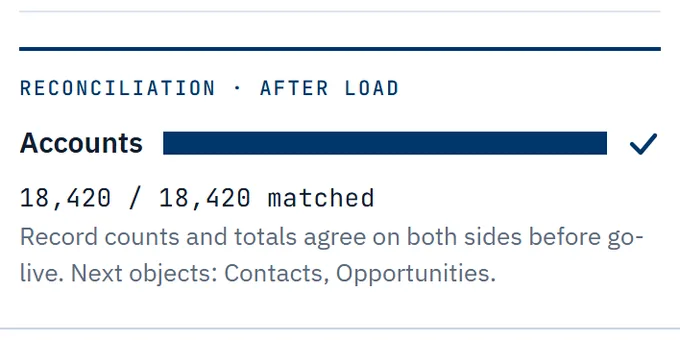
What we do: We map, clean and load the data, then reconcile record counts and totals before go-live.

  • Phase the rollout, so late requests land in the next phase
  • Configure before you custom-build
  • Clean the data before it moves
Go deeper: what pushes a project past its band, and how to keep the cost down

What pushes a project past its band

More than one cloud, several systems to connect, years of unclean data to move, custom processes Salesforce does not do natively, and a large number of users and roles.

How to keep the cost down

Launch the process that pays back first and scope each phase on its own, so a late request lands in the next phase instead of on this bill. Standard features cost less to build and to keep running than custom code. Count the seats you actually use. Carry a contingency line: Girikon's formula is 10–20% × (core costs + hidden costs); worked, 15% × ($120,000 + $40,000) = $24,000.

Salesforce costs in regulated industries

Folio3's guide adds 10 to 30 percent for HIPAA or PCI compliance, audits and validation in regulated industries.

What we do: Lending is where we work every week: ongoing Salesforce development for a lending company since April 2026.

Go deeper: the regulated-industry uplift and our lending work

The uplift is Folio3's (published 4 March 2026, updated 30 July 2026, read 23 October 2026): compliance work, audits and validation on top of the build. Our lending work runs as weekly administration and development, with hours reported every week.

+10–30%

Compliance, audits and validation

Folio3's regulated-industry uplift · read 23 October 2026

Concerns before asking for a Salesforce quote

Four questions buyers raise before they ask for a Salesforce quote, each with the direct answer.

Will the price grow once the work starts?

The answer: Will the price grow once the work starts?

Every piece of work is scoped in writing before it starts: a written scope, then the work, then a handover. A late request becomes its own scoped piece of work, not a surprise line on this one.

How do we know you are a real Salesforce partner?

The answer: How do we know you are a real Salesforce partner?

Check Salesforce's record rather than our word: the AppExchange lists OneAlgorithm as a Select Consulting Partner with 16 Salesforce-certified people and 53 certifications, read 23 October 2026.

Will you sell us more Salesforce than we need?

The answer: Will you sell us more Salesforce than we need?

We give you a license count and a rough cost before you sign, and tell you when a smaller edition does the job. Salesforce pricing per user per month

Will the free week turn into a sales pitch?

The answer: Will the free week turn into a sales pitch?

The list is yours. If the org is basically fine, we say so. Free one-week Salesforce health check

Salesforce's AppExchange record of OneAlgorithm

What the listing's stat box said when a person at OneAlgorithm read it. We quote the figures; we do not reproduce Salesforce's page.

Partner typeConsulting Partner
Partner tierSelect
Salesforce-certified people16
Certifications held53
Listinga0N3A00000EV7SwUAL
Read on23 October 2026
Sourceappexchange.salesforce.com

Get a Salesforce cost figure for your org

You get a license count and a rough cost before you sign anything, for the org you run or the one you are choosing.

What the week covers

  • Licenses: seats paid for and never used
  • Data: duplicates, orphans, fields nobody fills
  • Automation: the manual steps Flow should own
  • Permissions: who can see and change what
  • Integrations: syncs that fail without telling anyone

Salesforce optimization is part of the week. What the free health check covers

What happens next

  1. 01Call, or send the form on the contact page.
  2. 02A person at OneAlgorithm reads it and replies.
  3. 03If it fits, the free one-week health check starts with a read-only user you create.

Book a free health check

Topic · Salesforce implementation cost

How many users, and which clouds? Tell us on the contact page; the topic is already filled in.

Book a free health check

Prefer to talk it through?

(610) 890-9711

OneAlgorithm · 625 Swedesford Rd, Unit B, Malvern, PA 19355 · Mon–Fri 9–5

Salesforce cost questions

Not here? Call the office: (610) 890-9711

Why do published Salesforce implementation costs vary so much?

Because the guides are pricing different projects. Groviya's small-business band assumes one cloud, standard processes and up to about 50 users. Its mid-market band assumes one or two clouds, several custom processes and 50 to 300 users. Change the clouds, the data or the integrations and the number moves with them, which is why a range from one firm rarely fits your case.

Why is Salesforce implementation so expensive?

Because licenses are only half of the bill. Salesforce charges per user, and the setup work on top scales with the number of clouds, the data that has to move and the systems Salesforce has to talk to. BrainSpate's guide puts data migration at $5,000 to $50,000 or more and integrations at $5,000 to $75,000 or more, before a single license.

How long does a Salesforce implementation take?

The guides give different timelines because they price different projects. Cynoteck puts a small project at 4 to 8 weeks. Groviya puts a mid-sized rollout at 3 to 6 months and an enterprise program at 6 to 18 months. Your own timeline comes out of the written scope, which is why we scope before we quote.

Is the implementation fee on top of the Salesforce license?

Yes. Salesforce bills licenses per user, and the implementation fee goes to whoever does the work. BrainSpate's guide says implementation often runs two to three times the annual license fees, and Cynoteck suggests budgeting 40 to 80 percent above license cost for a realistic first-year total. Both are rules of thumb from firms that sell implementation.

Can I get Salesforce for free?

Yes, for up to two users. Salesforce's Free Suite needs no contract or credit card and stays free as long as someone logs in at least once every 60 days (salesforce.com, read 23 October 2026). From the third user you move to a paid suite, starting with Starter Suite at $25 per user per month.

What is the Premier Success Plan, and does it cost extra?

It is Salesforce's paid tier of guidance and faster support. As listed on salesforce.com on 23 October 2026, Premier is included with the Core, Advanced and Max editions and available for purchase on Pro Suite. The Standard plan comes with every license, and the Signature plan is priced by your Salesforce account executive. Check which plan your edition already includes before you budget for it.

How much do Salesforce sandboxes cost?

Salesforce's pricing page, read 23 October 2026, lists what each edition includes rather than a sandbox price: a Developer sandbox from Pro Suite up, one Partial Copy sandbox with Core, Advanced and Max, and a Full sandbox with Advanced and Max. Developer Pro sandboxes, and a Full sandbox on Core, are available for purchase and quoted by Salesforce.

How do we get a fixed price for our Salesforce project?

Scope it in writing first. A fixed price is only as firm as the scope behind it, so we write the scope, then price it, then do the work and hand it over. If you already run Salesforce, the free one-week health check gives you a license count and a rough cost before you sign anything.

Where can I check whether my current licenses are being used?

In Setup, open Company Information. Its user license list shows each license type with the total you pay for, how many are assigned and how many remain. Compare the assigned seats with the people who actually log in. Seats nobody uses are worth checking first, and checking costs nothing.